Spanish Electronic Administration: No More Waiting Lines
First, we will provide an overview of electronic administration. After that, we’ll see what is needed to work with the public administration from a computer.
Public Administration On The Internet
This online office is called in Spanish “sede electronica” electronic headquarters.
These institutions share common characteristics, as we will see. In particular, there are two main ways in which public administration is presented online.
IMPORTANT: Do not forget to select “English” in the website, as you can find English option in most relevant official website (Up right corner).
Some organizations have two websites
Ordinary Website: Provides information for citizens.
Online office: Enables official procedures.
EXAMPLE: Foreign Office
Some organizations use a single website
For both:
Information and official procedures.
EXAMPLE: Tax Agency
How To Carry Out Online Procedures: Identification And Signature
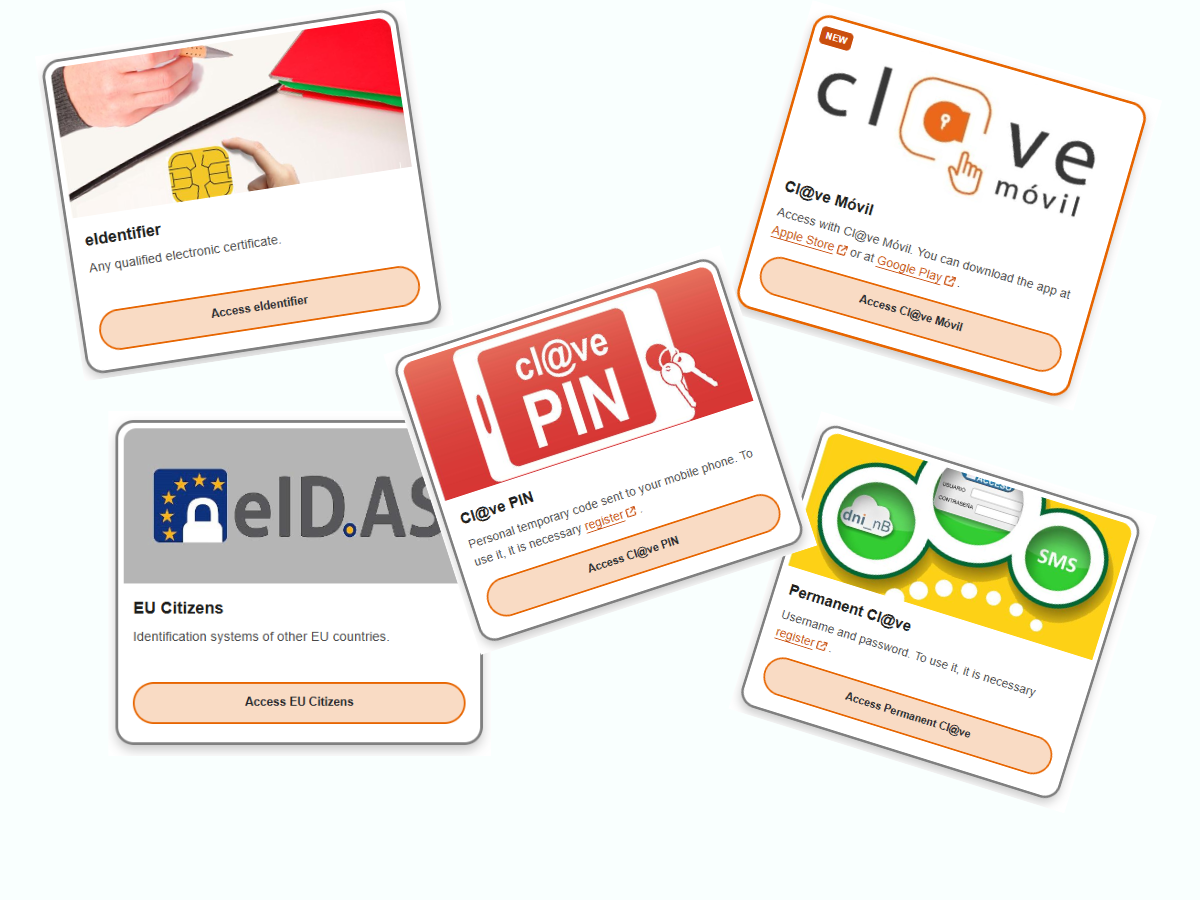
Now that we know where to find the online office of the administration we need, let’s see how to complete administrative procedures. In summary, this is the type of options you can find when trying to access to the public administration online office:
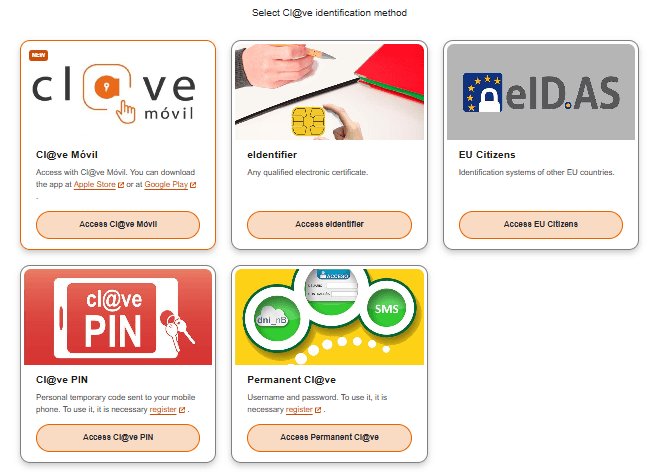
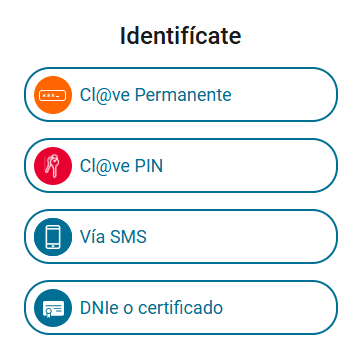
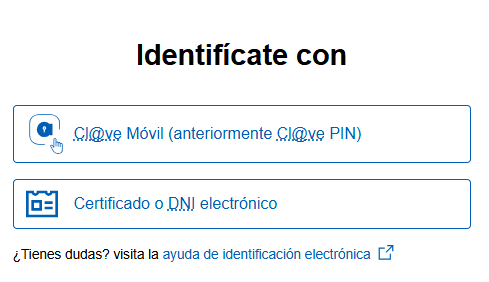
To do so, we need two tools. What involves each one?
Identification
To verify that we are the ones accessing the online office, either to view our information or to complete a procedure.
Identification Without a Signature
This allows you to complete many administrative procedures that do not require a digital signature but do require identity verification.
Examples include:
- Social Security: Checking your employment history.
- Tax Agency: Viewing previously filed tax returns.
- Receiving electronic notifications from the administration.
- Traffic Department: Checking your driving license points.
- Public institutions: Scheduling appointments.
Signature
To sign a request, a document, or any procedure that requires our approval.
Procedures That Require an Electronic Signature
Some administrative procedures require identification plus an electronic signature because they involve a legal commitment or the formal submission of documents.
Examples include:
- Social Security: Applying for unemployment benefits.
- Tax Agency: Filing an income tax return.
- Ministry of Education: Applying for a scholarship or public aid.
- Public institutions: Signing and submitting documents and appeals.
Tax Guide 2026
If you need an overall view of tax obligations before digging into this specific topic, click on Taxes in Spain Guide 2026.
Methods of Identification and Signature
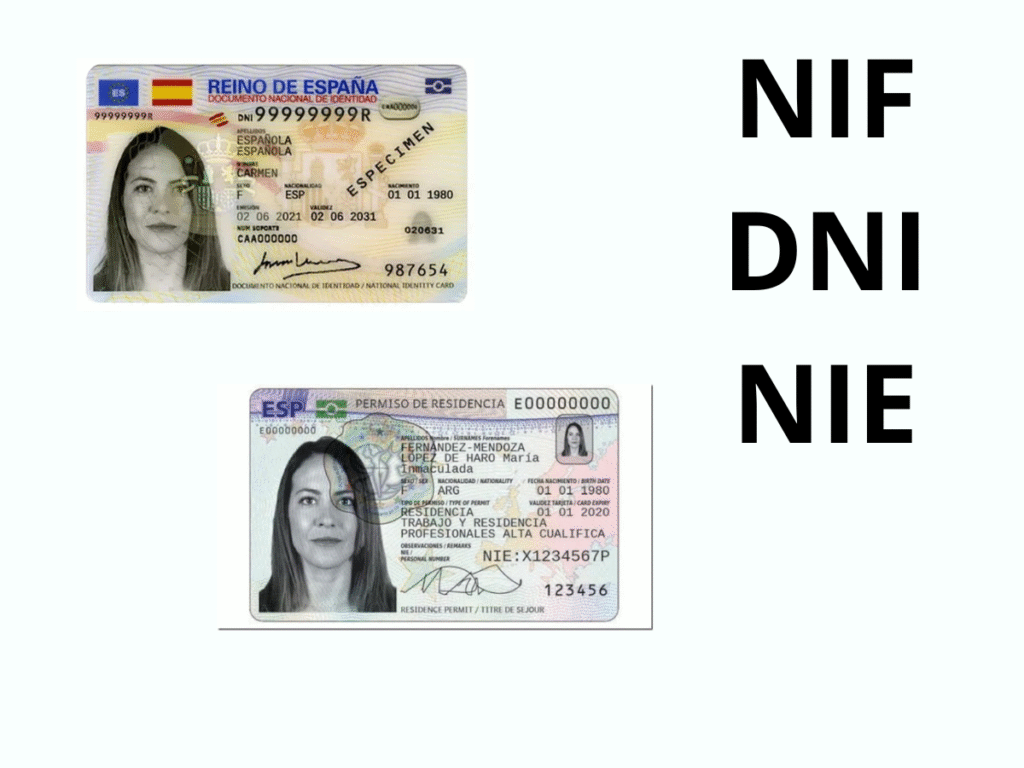
In order to apply to this identification and signatures systems you will need an official DNI or TIE.
Key Setup Steps
| System | Purpose | How to Get It | Essential Requirements |
| Cl@ve PIN | Occasional Use: Accessing basic services and requesting reference numbers for IRPF. | Online Request: Request an invitation letter (CSV code) sent to your registered tax address, then complete registration online. | NIE/DNI and a mobile phone number (Spanish or foreign). |
| Cl@ve Permanente | Frequent Use: Permanent password access, required for high-security actions and Cl@ve Firma (cloud signature). | Requires an Advanced Registration Level (in person, or using a Digital Certificate). | NIE/DNI, activation code from initial registration, and mobile phone. |
| Digital Certificate (FNMT) | Advanced Use: The most robust e-signature, required for complex submissions and registering for Advanced Cl@ve. | 3 Steps: 1. Generate code online. 2. Prove Identity In-Person at an FNMT-authorized office (AEAT or Consulate). 3. Download the certificate. | Valid NIE/DNI/Passport and the application code. |
There are different ways to identify yourself or sign electronically. These options appear when accessing an online office. In orer to use them, you must be registered in at least one of these systems beforehand.
To use these systems, you need:
- A Spanish DNI (National Identity Document), a NIE (Foreigner’s Identification Number) with legal residency, or your passport.
- EU citizens can also access services using their own country’s digital identification system via eIDAS.
Electronic Certificate (Identifies and Signs)
Issued by the Royal Mint of Spain (Fábrica Nacional de Moneda y Timbre).
Application is done on their website, followed by inperson verification at a public office with your ID and application number.
Once verified, the certificate can be downloaded to a computer.
Each time you access an official website, a popup message will ask you to select the certificate.
Valid for four years- Can be exported to another device.
Obtaining an FNMT Electronic Certificate
The electronic certificate is a digital signature installed in the browser to verify your identity online. It allows you to perform transactions from a computer, mobile device, or tablet on our electronic headquarters and other organizations that also accept it. In the case of the Fábrica Nacional de Moneda y Timbre (FNMT), when you access a procedure requiring an electronic certificate, a window will appear on the screen to choose the appropriate certificate and continue with the process. The Spanish Tax Agency serves as a verification office for FNMT.
The websites of the certificate-issuing entities carry out request and acquisition of a valid electronic certificate for tax purposes.

Clave System
Clave (key) system allows citizens to identify themselves and, in some cases, sign documents electronically.
Clave Firma (key signature) is the only mode that allows both identification and legally valid signing.
Clave PIN
Identification only
A PIN is sent to a mobile device or accessed via the Clave PIN app.
Temporary acces
Clave Permanente
Identification only
Requires setting up a password at a public office.
Permanent acces
Clave Firma
Identification & signature
Allows electronic identification and legally valid signing.
Clave Móvil
Identification only
Uses a mobile app for authentication.
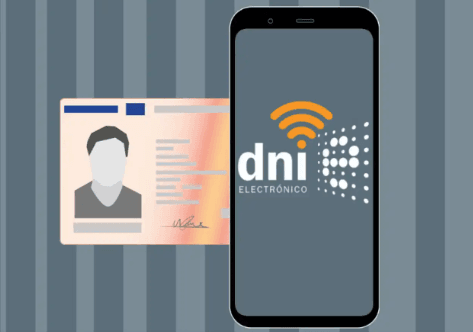
Electronic DNI (DNIe)
Identification and Signature
Spain’s DNIe (ID card) is an electronic identity document that enables both identification and signature for administrative and private procedures.
There are two versions.
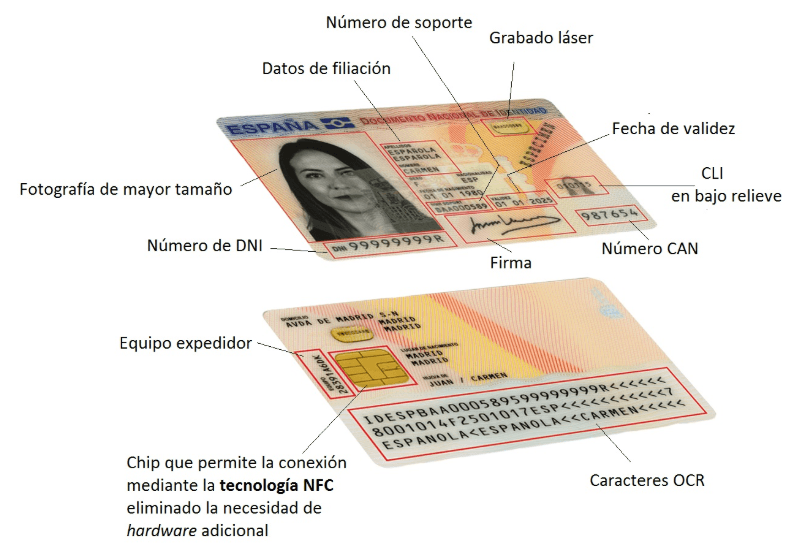
DNIe 3.0 (With Contact Chip and NFC)
Identification and Signature
Can be used with a smart card reader or NFC compatible devices.
Requires installing software and using the DNI PIN.
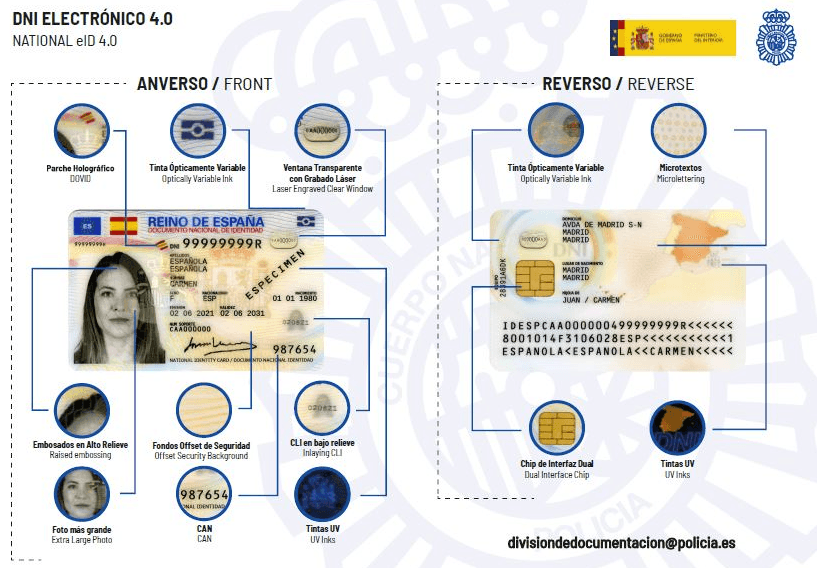
DNIe 4.0 (Dual Chip Version)
Identification Only
Uses an improved contactless chip for faster authentication.
Signature functionality may be enabled in the future.
eIDAS System (For EU Citizens)
Identification and Signature
This system allows EU citizens to access Spanish electronic services using their national credentials.
Spain verifies the user’s identity via eIDAS infrastructure, ensuring interoperability between countries.

On top of those ways of identification and signature, in some specific procedures you may be requested to use an extra signature application. Autofirma (Selfsignature).
Less Common Ways
- Reference number Authentication and identification system for individuals, which will allow you to carry out certain procedures and formalities, mainly for the Income Tax campaign.
- DNI/NIE number with contrast data.There are procedures in the electronic headquarters of the Tax Agency that allow you to identify yourself with your DNI or NIE number with an additional contrasting piece of information.
- Without identificationAt the Tax Agency’s electronic headquarters you can carry out some procedures related to a file without having to identify yourself and by entering a verification data. This is a CSV if you have received a notification/communication or the file code.
What is a CSV
The Secure Verification Code (CSV) is printed in the footer of the first page of each document. This code ensures the integrity of the document by verifying it through the Spanish Tax Agency’s electronic headquarters.
All documents and certificates issued by the Tax Agency, regardless of the method of request, will include a verification code. So with the code the recipient can verify their authenticity and validity on the website. Therefore, the Secure Verification Code allows for the verification of the integrity of the copy of this electronic document.